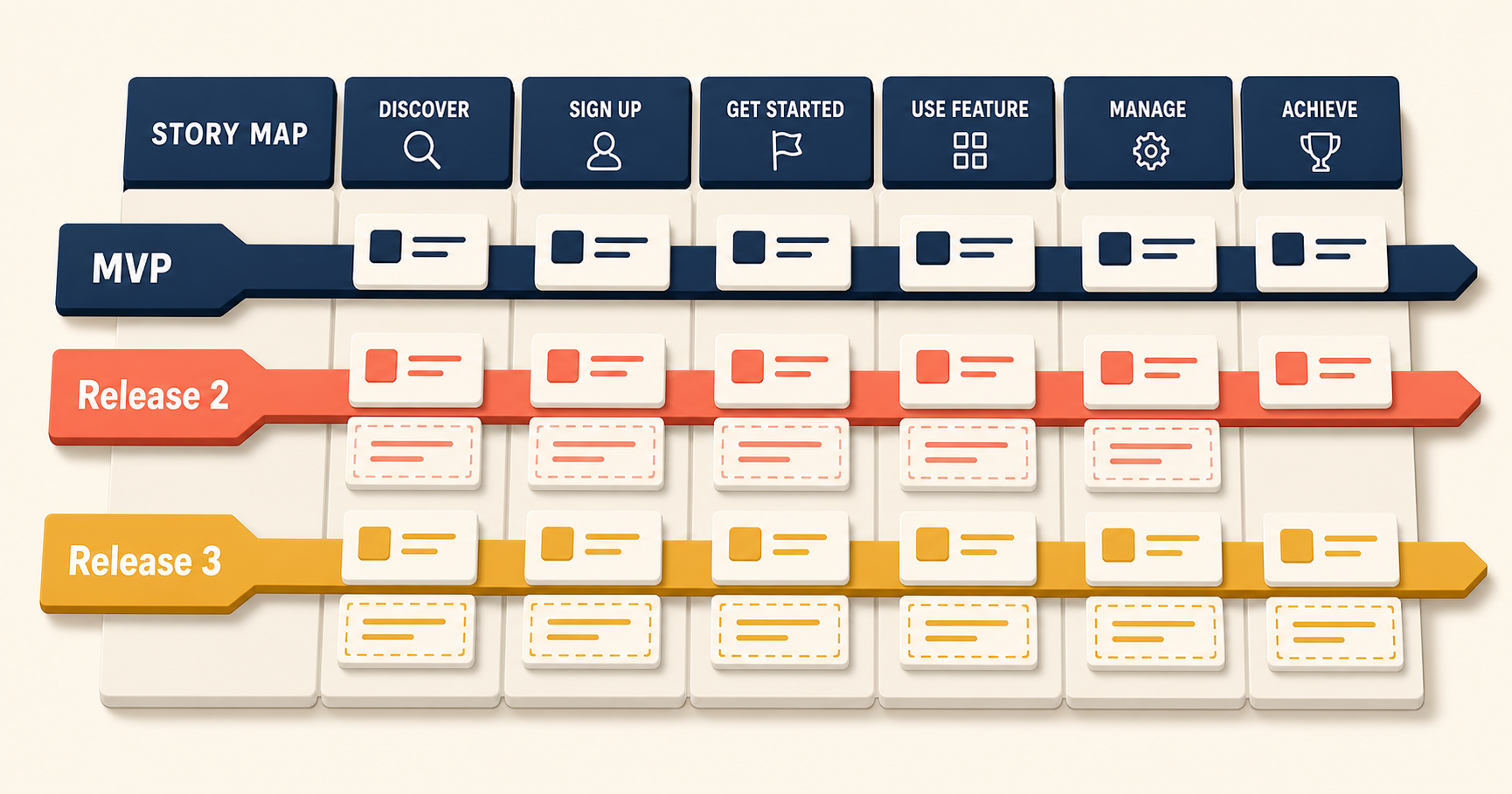
Once the story map is on the wall, most teams arrive at the same quiet realization: “We could build all of this… but maybe we shouldn’t.” That moment is when story mapping stops being a planning artifact and starts being a strategic one. The real value is not that the team moves faster. The real value is that the team decides, on purpose, what not to build.
The previous post in this series walked through the six steps for building a story map. This post is the bridge from craft to strategy — how to use a finished story map to plan a minimum viable product, shape release scope, and make honest trade-offs. Five applications follow: planning around real constraints, reducing scope without losing quality, redefining the MVP as a learning tool, structuring releases along the user journey, and classifying the strategic role of each story.
1. Plan Around Real Constraints, Not Ambition
Every product team operates under the same three conditions: limited time, limited people, limited budget. These constraints are not temporary. They are permanent, and they do not soften when the roadmap gets ambitious.
A story map makes those constraints visible. When the full backlog is on the wall, the team can see — at a glance — that the wall is wider than the next release window can absorb. That visibility reframes the planning question.
The wrong question is: “What should we build?”
The right question is:
Given our constraints, what is the smallest coherent product that delivers meaningful value and reduces our biggest risks?
The shift sounds small, but it changes how the team argues. Instead of debating which features are worth doing, the team debates which features the constraints can support. Ambition stays in the conversation, but ambition no longer drives the plan alone.
2. Reduce Scope Intentionally Without Sacrificing Quality
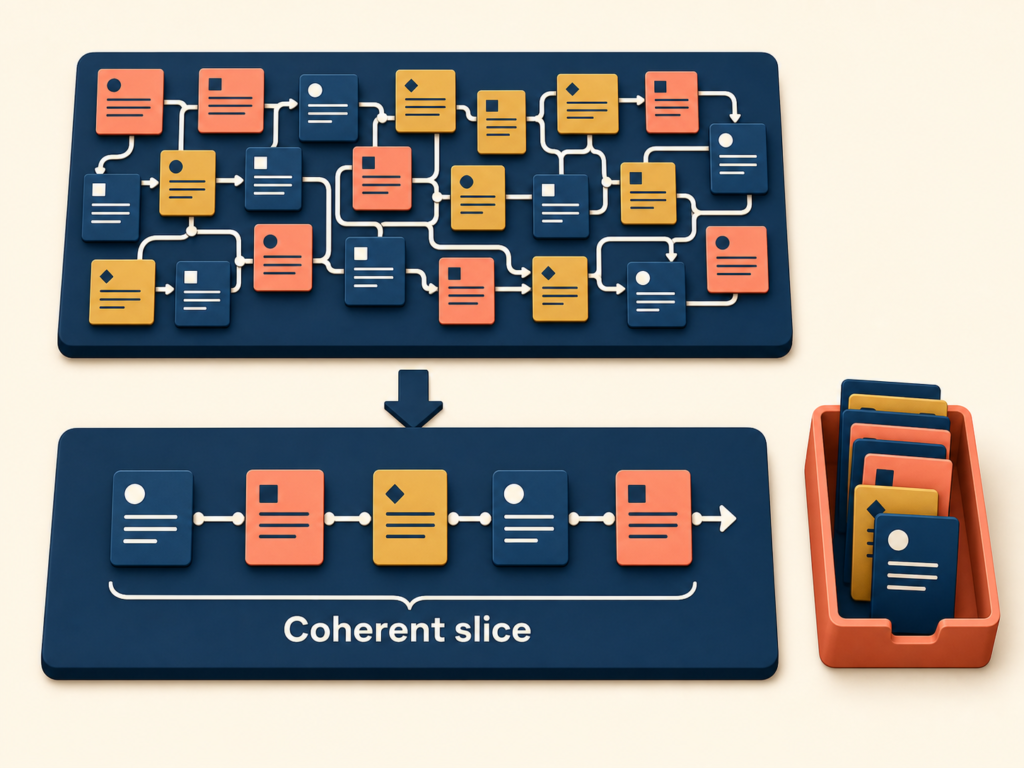
Building less does not mean building lower quality. Less means removing work that does not drive the outcomes we care about. The story map makes intentional scope reduction easier for three reasons:
- Every story sits inside the user journey, so its purpose is clear.
- Vertical position signals relative importance, so the team can see what is core and what is supporting.
- Gaps and duplicates become visible, so the team stops adding to a pile that already has the answer.
Once the map is on the wall, the team can replace feature-level debates with three questions for each story:
- Does this help the user complete a meaningful journey?
- Does this measurably move the outcomes we care about?
- Is this essential now, or can it wait?
When a story fails all three, the team has a clean reason to defer or remove it. The deletion is not about working less. It is about protecting focus.
3. Redefine the MVP as a Learning Tool, Not a Feature List
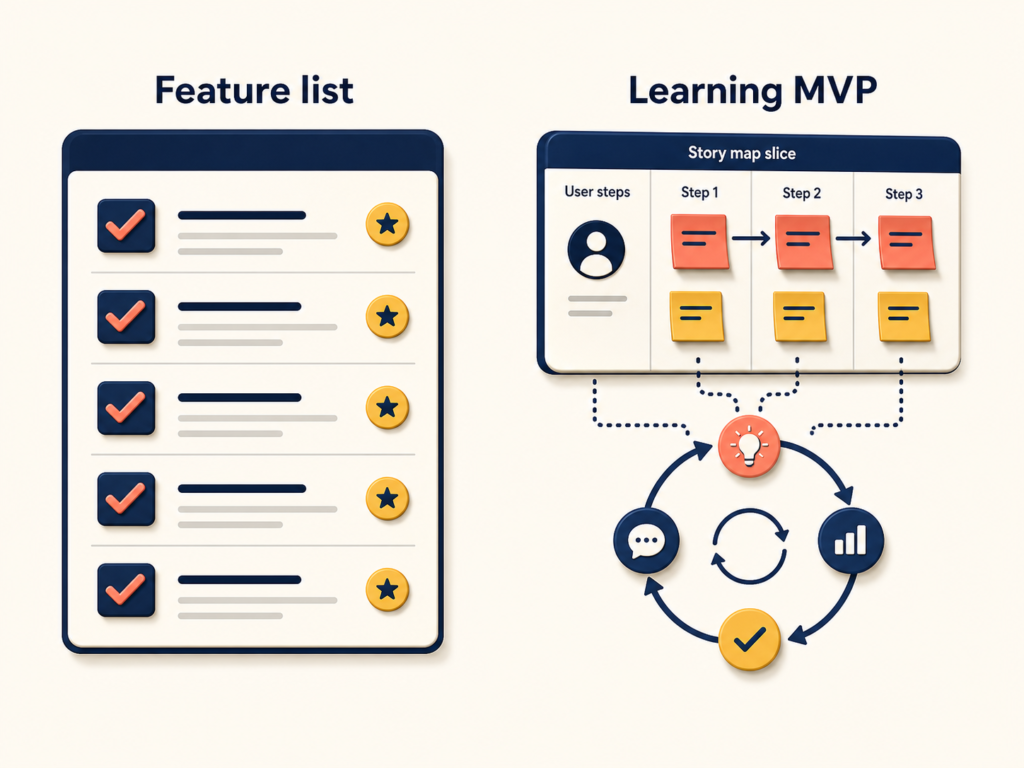
Many teams still define the minimum viable product as “the smallest shippable bundle of features.” A story map supports a more useful and more honest framing:
An MVP is the smallest product that can survive in the market long enough — and meaningfully enough — to teach the team what matters.
That reframing turns the MVP from a delivery target into a learning instrument. The question is no longer “What can we ship quickly?” The questions become:
- What is our riskiest assumption right now?
- Where is uncertainty highest?
- What must we observe in real use to move forward with confidence?
The stories that earn a spot in the first release are the ones that help answer those questions, even when answering them forces uncomfortable trade-offs:
- Skip polish.
- Defer edge cases.
- Run manual workflows behind the scenes.
The word viable deserves the same redefinition. In practice, viable does not mean feature-complete or impressive. It means three things:
- A user can complete a meaningful task from start to finish.
- The product delivers enough value that the user comes back.
- The team can observe real signals from real use, not opinions from a meeting room.
A story map makes those three conditions easy to evaluate. If the first release looks like the list below, the team should pause:
- The user’s flow breaks partway through.
- The product needs heavy explanation to make sense.
- Nothing in the experience produces observable behavior the team can learn from.
That is minimum without being viable. It ships, but it teaches nothing.
A tasting menu is a useful analogy. Before a restaurant launches a full menu, the chef serves one signature dish. The purpose of the tasting is not to showcase the full menu. The purpose is to learn whether the flavor lands. If it lands, the restaurant expands to a full menu. If it does not, the chef rewrites the recipe. The MVP works the same way: one dish, served well, designed to teach the team something specific about taste.
4. Plan Release Scope Along the User Journey, Not Team Silos
A common planning mistake is to slice work by team layer instead of by user experience:
- Backend first.
- Frontend next.
- Integration later.
This feels internally efficient. Externally, it delays value. The user gets nothing usable until the last layer ships, and the team gets no real-world signal until then either.
Story maps push the team to define release scope along complete user experiences instead. An effective release scope tends to share three traits:
- It is integrated enough that a real user can actually use it.
- It is narrow in scope but still feels complete from the user’s side.
- It is limited, but limited in a way that still works in practice.
Take a reporting feature. The siloed approach ships the reporting engine first and the reporting UI later. The user journey approach defines the release this way:
One user can see one meaningful metric, for one use case, and take one action on it.
That release is small. It also ships real value, produces real usage, and lets the team learn whether the metric and the action actually matter — none of which the engine-then-UI plan delivers until much later.
5. Use Story Mapping to Clarify the Strategic Role of Each Story
Not every story plays the same strategic role. Once the map is on the wall, the team can sort stories into four categories:
- Differentiator — creates competitive advantage. The reason a user picks this product over an alternative.
- Table Stakes — required to compete at all. The product cannot ship without it, but it does not win on its own.
- Cost Reducer — lowers operational or support cost. Often invisible to the user, but it changes the unit economics.
- Parity Feature — catches up to a competitor without differentiating. Necessary at times, but never the source of advantage.
The categories are useful, but only inside one specific context: the outcomes the team is prioritizing for this release. The same story can be a differentiator in one strategy and a table stake in another.
Soccer positions are a useful analogy. The same player can play striker (differentiator) in one match and defender (table stakes) in another, depending on the strategy for that game. What matters is not the player’s fixed identity. What matters is the role the team needs that player to play in this match. Releases work the same way. The map does not decide the role. The outcomes for the release decide the role, and the map makes the role visible.
When the team labels every story this way, the map becomes a decision tool. The conversation moves from “Is this feature important?” to “Is this feature a differentiator for the outcome we are chasing, or is it parity work we are doing because a competitor has it?” The second question is harder. It is also the question that protects strategy.
Conclusion
Five applications, one thread:
- Real constraints make planning honest.
- Intentional scope reduction protects focus.
- An MVP redefined as a learning tool changes the question the team is asking.
- Release scope along the user journey delivers real value sooner and produces real signals to learn from.
- Classifying the strategic role of each story turns the map from a backlog into a decision tool.
A story map by itself does not produce any of these effects. The team’s willingness to use the map for trade-offs does. The map only makes the trade-offs visible.
The next post in this series covers the conditions story mapping needs to actually work — the roles, the cadence, and a checklist for diagnosing whether your team is doing it well.
User Story Mapping Series
(1) Why Agile User Stories Fail: From Tickets to Shared Understanding
(2) Requirements vs User Stories: How Story Mapping Shifts Teams From Outputs to Outcomes
(3) What is a Story Map? Definition and AS-IS vs TO-BE Story Maps
(4) User Story Mapping: A 6-Step Practical Guide to Building a Story Map
(5) How to Use Story Mapping for Product Planning: MVP, Scope, and Release Strategy
(6) User Story Mapping Checklist: The Team Roles and 12 Signals of a Map That Actually Works