Data has never been more abundant. Dashboards update in real time, funnels surface the exact drop-off point, and session replays track every click, scroll, and hover down to the millisecond. On the surface, it looks like we understand users better than ever.
And yet, teams still struggle to answer the most basic questions:
- Why did this behavior happen?
- What was the user actually trying to do?
- When this metric moved, what changed in the real world?
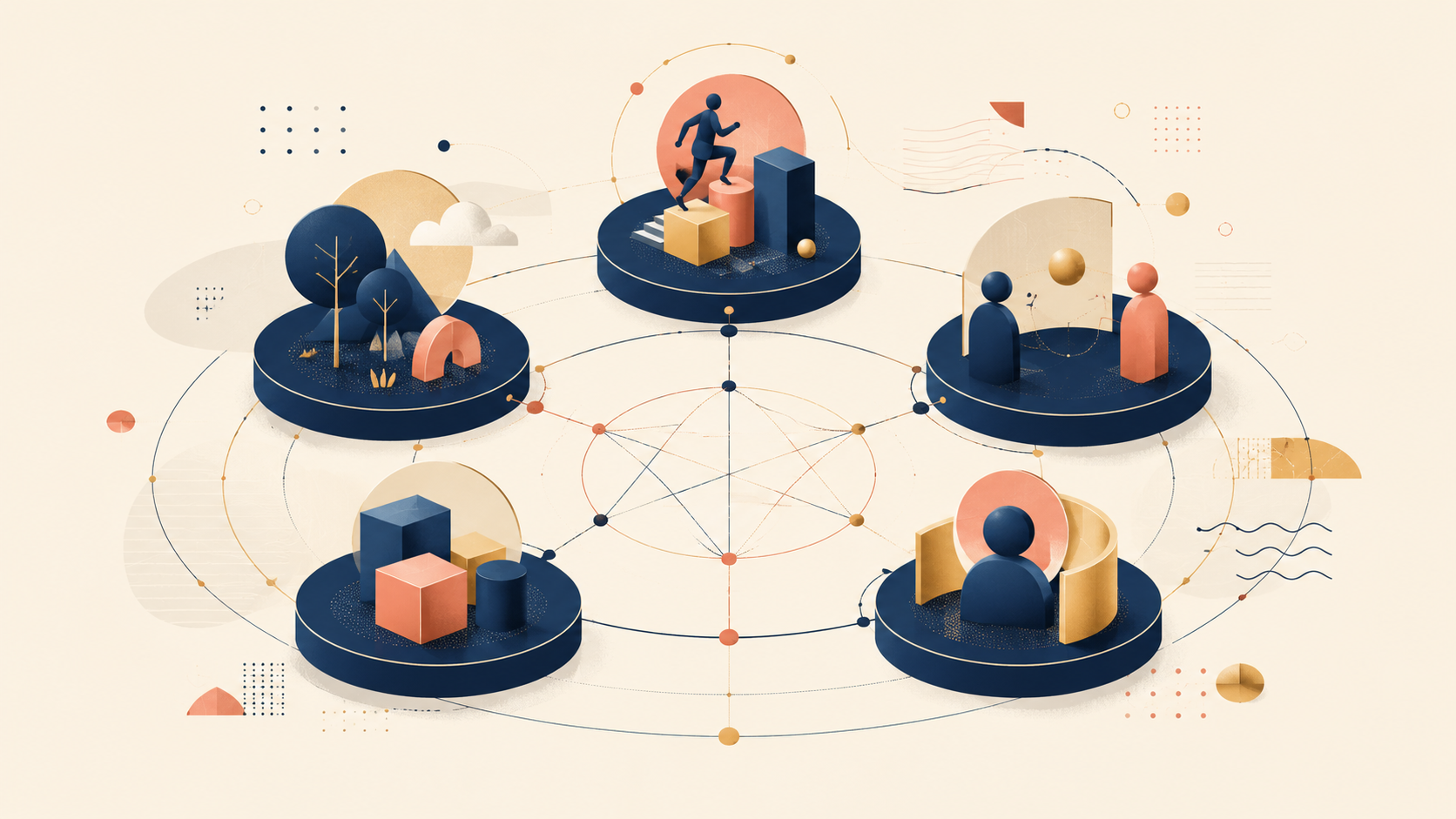
The gap exists because metrics and the reasons behind behavior are not the same thing. The AEIOU framework — short for Activities, Environments, Interactions, Objects, and Users — is a UX research method designed to close that gap. Instead of telling you what happened on screen, it gives you a structure for observing how behavior actually unfolds in context.
Why user observation is harder than it looks
User research often feels like it should be simple: watch what people do, write it down, and synthesize. In practice, observing users well is one of the hardest things a product team can do. The reasons are structural, not just technical.
The paradox of more data, less understanding
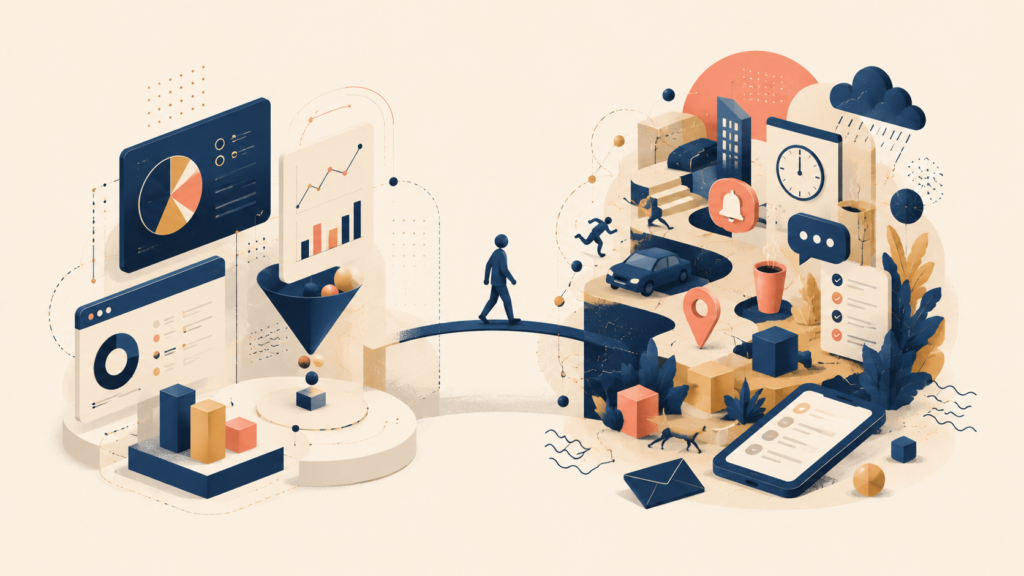
Quantitative data is excellent at telling you what happened. It is much weaker at telling you why.
| What analytics shows | What it can’t explain |
|---|---|
| Users dropped off at step 3 | What was interrupting them |
| Feature usage fell after launch | Whether the context of use changed |
| Time-on-task went up | Whether they were confused or just more careful |
Without context, you fill the gaps with assumptions. And those assumptions usually reflect how we think the system should be used, not how it actually fits into people’s lives.
Think of analytics like CCTV footage. The camera captures someone suddenly running across the frame. The data tells you “this person ran,” but the footage alone can’t say whether they ran to catch a bus, to avoid danger, or because they were exercising. The fact is the same. The meaning is not.
The limits of screen-centric thinking
Most digital teams observe users through the screen — app interfaces, web pages, dashboards, prototypes. This vantage point is convenient but incomplete. The screen hides more than it shows:
- The physical environment the user is in
- The social dynamics around them
- The other tools they switch between
- The constraints they’re adapting to in real time
A person checking a mobile app at a quiet desk and the same person using it on a crowded subway or between meetings behave in completely different ways. The screen is identical. The experience is not.
Behavior always happens in context
A useful working assumption: user behavior is never isolated. It is always shaped by context — where the activity takes place, who else is involved, which tools are available, and what the user believes or expects.
Ignore context, and you end up optimizing for an abstract “ideal user” instead of the real people who live inside messy, constrained situations. This is where structured observation earns its value. It doesn’t replace data; it grounds your interpretation of it.
What is the AEIOU framework, really?
AEIOU is a UX framework for structuring observation across five interdependent dimensions: Activities, Environments, Interactions, Objects, and Users. It was popularized as part of ethnographic and contextual inquiry practice and has since become a standard tool in UX research.
At a glance, the five categories look simple — almost simple enough to treat as a form you fill in after a research session ends. That is the most common way teams misuse it.
AEIOU is a thinking structure, not a checklist
AEIOU does not work well when you treat it as a form to complete top-to-bottom. If your approach is “observe something, then sort what you see into five buckets,” you’ll end up with shallow notes and very little insight.
AEIOU works best as a thinking structure. It tells you what to pay attention to, what questions to ask in the moment, and what you might be missing in situations that look “obvious.” The power of the framework isn’t in the five labels. It’s in the way the labels force you to look across multiple dimensions that shape behavior at once.
It structures observation, not data
Most teams already observe users in some form — through interviews, usability tests, shadowing, field visits, or diary studies. The hard part of this kind of qualitative research is rarely doing the observation. It’s making sense of what you saw without flattening it.
AEIOU gives you a shared frame for organizing complex qualitative signals while keeping the context intact.
| Without structure | With AEIOU |
|---|---|
| “The user seemed frustrated here” | Frustration is tied to a specific activity in a specific environment |
| Notes feel anecdotal | Patterns become visible across observations |
| Insights depend on who observed | The team aligns on what was actually seen |
The five elements depend on each other
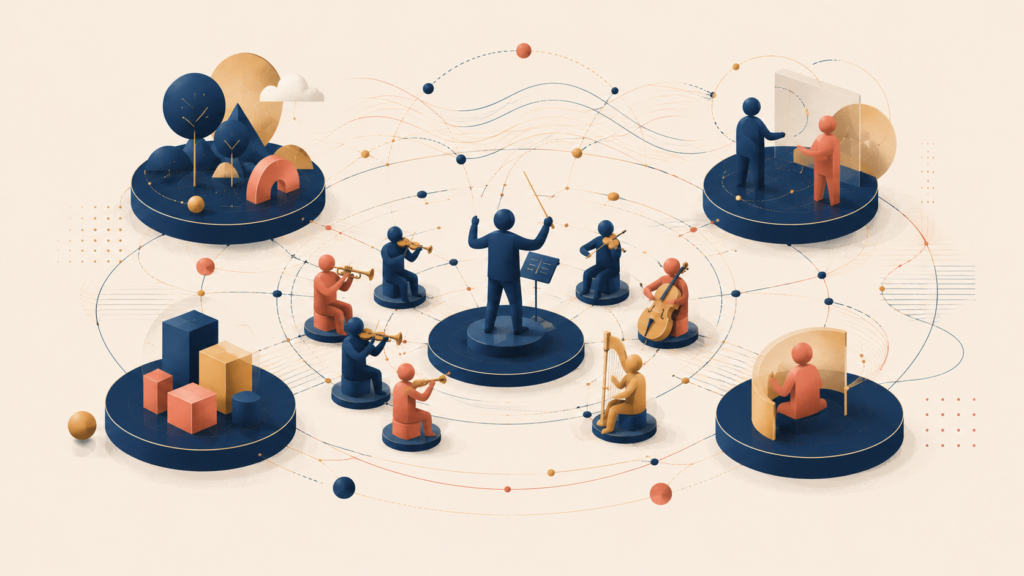
A common mistake is to treat AEIOU’s five elements as independent categories. In practice, they constantly shape each other:
- A change in environment reshapes the activity
- A new object creates new interactions
- A user’s role influences how they perceive and use a tool
- An interaction can redefine the meaning of an object
A shared device in an office is not just an object. Depending on who uses it and when, it can become a coordination tool, a source of friction, or even a symbol of ownership. AEIOU helps you surface those relationships instead of isolating each observation.
Think of it like an orchestra. The violins (activities), the hall’s acoustics (environment), the conductor’s cues (interactions), the instruments (objects), and the players (users) all influence each other. Analyze any one in isolation and you’ll never understand why a performance worked — or why it didn’t.
Activities: what is the user actually trying to accomplish?
Activities are goal-directed actions. Not individual clicks or gestures, but purposeful sequences of behavior that mean something to the user.
The trap to avoid here is confusing an activity with a feature:
- “Clicking the submit button” is not an activity
- “Trying to file the request before the deadline” is an activity
Key questions for activities
- What is the user trying to accomplish right now?
- What triggered this activity?
- What steps do they take, and in what order?
- Where do they hesitate, improvise, or invent workarounds?
Example: writing a monthly report
Imagine you’re observing someone preparing a monthly performance report using several tools. The activity is not “using a spreadsheet.” It’s something more like:
“Producing a monthly performance report for the finance team and leadership to review. Every number must be traceable and defensible, with minimal risk of error before a fixed internal deadline.”
Framed this way, every small behavior starts to carry meaning:
- They copy numbers manually instead of using auto-export — not because the export is broken, but because they want to visually verify each value.
- They cross-check the same metric in two tools — because they’ve been questioned about number mismatches before.
- They save multiple intermediate versions — to prepare for last-minute changes or follow-up questions.
These behaviors aren’t about interface preference. They’re signals about trust, risk, and accountability.
Environments: where the activity unfolds
Environment includes both physical and situational context. More than a location, it covers noise, interruptions, social expectations, and emotional atmosphere.
Key questions for environments
- Where is this activity taking place?
- What else is happening at the same time?
- Is the environment stable, or constantly shifting?
- How does the environment constrain or enable behavior?
A useful comparison: the same exam taken in a quiet library and a noisy café produces different scores. The test (the tool) is identical. The environment quietly decides how well the test-taker can perform.
Example: same report, different environments
Consider two people producing the same monthly performance report using the same tools and templates. On paper, the work is identical. In practice, the environment produces very different behavior.
| Scenario | Observed environmental conditions | Resulting behavior |
|---|---|---|
| Working from home | Quiet, private, no immediate supervision | Takes time to cross-check numbers, rewrites explanations, and delays final submission until confident |
| Open office before leadership review | High visibility, frequent interruptions, sense of being watched | Rushes to “get something out,” skips validation, leans on previously approved figures |
What might look like a difference in diligence is really a difference in perceived risk, shaped by environment. In the first case, the environment supports careful verification. In the second, social pressure and interruptions push the user toward speed and defensibility instead of thoroughness. The activity didn’t change. The environment did, and behavior adapted.
The same seed grows into different plants depending on the soil and climate. Users behave the same way: hand the same person the same tool in two different environments, and you’ll see two different behaviors.
Interactions: how people and things shape each other
Interactions focus on relationships and exchanges, not isolated actions. They include:
- Person-to-person interactions
- Person-to-tool interactions
- Indirect interactions mediated by a system or process
Key questions for interactions
- Who or what is the user interacting with?
- Is the interaction collaborative, transactional, or adversarial?
- Where does control or decision-making authority shift?
- What feedback does the user get, and when?
Example: submitting a data correction request
As part of the monthly reporting process, imagine a user submits a data correction request. Once they hit send, their direct action stops. The interaction does not.
From that moment:
- Decision authority shifts from the requester to the review team
- The user has no visibility into when the request will be reviewed or approved
- A delay can affect the final report deadline, but the user has no way to intervene
In response, the user adapts:
- They write overly detailed request descriptions to minimize back-and-forth
- They follow up through informal channels to regain visibility
- They avoid filing requests altogether unless absolutely necessary
What looks like cautious or inefficient behavior is actually a response to an interaction with asymmetric control and delayed feedback. The interface isn’t shaping the behavior here. The interaction is.
Objects: how tools shape behavior

Objects are the artifacts that exist in the environment and that users depend on, adapt, or misuse. The important point is that objects are never neutral. People repurpose tools in ways their designers never intended.
Key questions for objects
- What objects are present during the activity?
- Which are essential, and which are workarounds?
- How are objects combined, hacked, or layered?
- What meaning does the user attach to a particular tool?
Studying objects is a bit like archaeology. The artifact itself matters, but you only understand a civilization once you know how the artifact was used and in what context. The same applies to a spreadsheet, a sticky note, or a Slack channel.
Example: a personal spreadsheet beside the official system
During an observation, you notice the user keeps a personal spreadsheet open beside the official reporting system. The spreadsheet isn’t part of the intended workflow. It is, however, central to the activity.
The user relies on it to:
- Reconcile numbers before entering them into the system
- Track changes across review cycles
- Annotate numbers with context the system can’t hold
Over time, this object becomes more than a tool:
- It becomes a personal source of truth
- It serves as a buffer against system errors
- It is a way to maintain a sense of control in a process with delayed feedback
The user’s behavior shifts as a result:
- They trust their spreadsheet more than the system’s totals
- They delay final submission until the spreadsheet feels complete
- They resist system changes that threaten this personal artifact
From the system’s point of view, the spreadsheet is a workaround. From the user’s point of view, it is a risk-management device.
Users: who acts, and what shapes their perspective?
Users are not just “end users.” They are people with roles, relationships, and biases. The same person can behave very differently depending on the context.
Key questions for users
- Who is directly or indirectly involved?
- What role are they playing right now?
- What pressures or incentives are they facing?
- What beliefs or assumptions are driving their behavior?
Example: the users around a monthly report
Think about everyone connected to the monthly performance report. The report doesn’t have a single “user.” It moves across roles, and each role interprets it differently.
| User group | Primary role | What the report means to them | Key pressures | Resulting behavior |
|---|---|---|---|---|
| Report author | Final editor and submitter | An artifact of personal accountability | Risk of error, reputational cost, deadline pressure | Over-verifies, sticks to familiar tools, resists last-minute changes |
| Direct manager / reviewer | Quality gate before leadership | A signal of team credibility | Avoiding surprises upstream, maintaining consistency | Asks questions, flags outliers, prefers conservative numbers |
| Leadership / executive | Decision-maker | An artifact for decisions and performance reviews | Limited time, strategic impact | Skims for trends, questions outliers, assumes prior validation |
The same object is experienced as three different things depending on the user.
Without this distinction, teams often design as if:
- The report only needs to support the act of writing it
- Validation effort is “invisible”
- Consumption is passive
In reality, downstream users actively shape upstream behavior. The executive’s reading habits influence what the reviewer flags, which in turn changes how the author drafts. Miss the user dimension, and you’ll redesign the form without ever touching the system.
Conclusion
The real value of the AEIOU framework is not the five letters. It’s the discipline of looking at behavior as something shaped by activities, environments, interactions, objects, and users together. Treat it as a checklist and you’ll produce neat notes that say very little. Treat it as a thinking structure and you’ll start to see why behavior happens the way it does — and where your product is actually failing the people who use it.
This is the first article in a two-part series on AEIOU. In the next part, AEIOU in Practice: How to Use It Effectively and Mistakes to Avoid, we’ll cover how to run an AEIOU-driven observation session, how to synthesize what you find, and the common anti-patterns that turn the framework back into a fill-in-the-blanks exercise.
AEIOU series
Leave a Reply